

Why Most Businesses Fail at Time Management
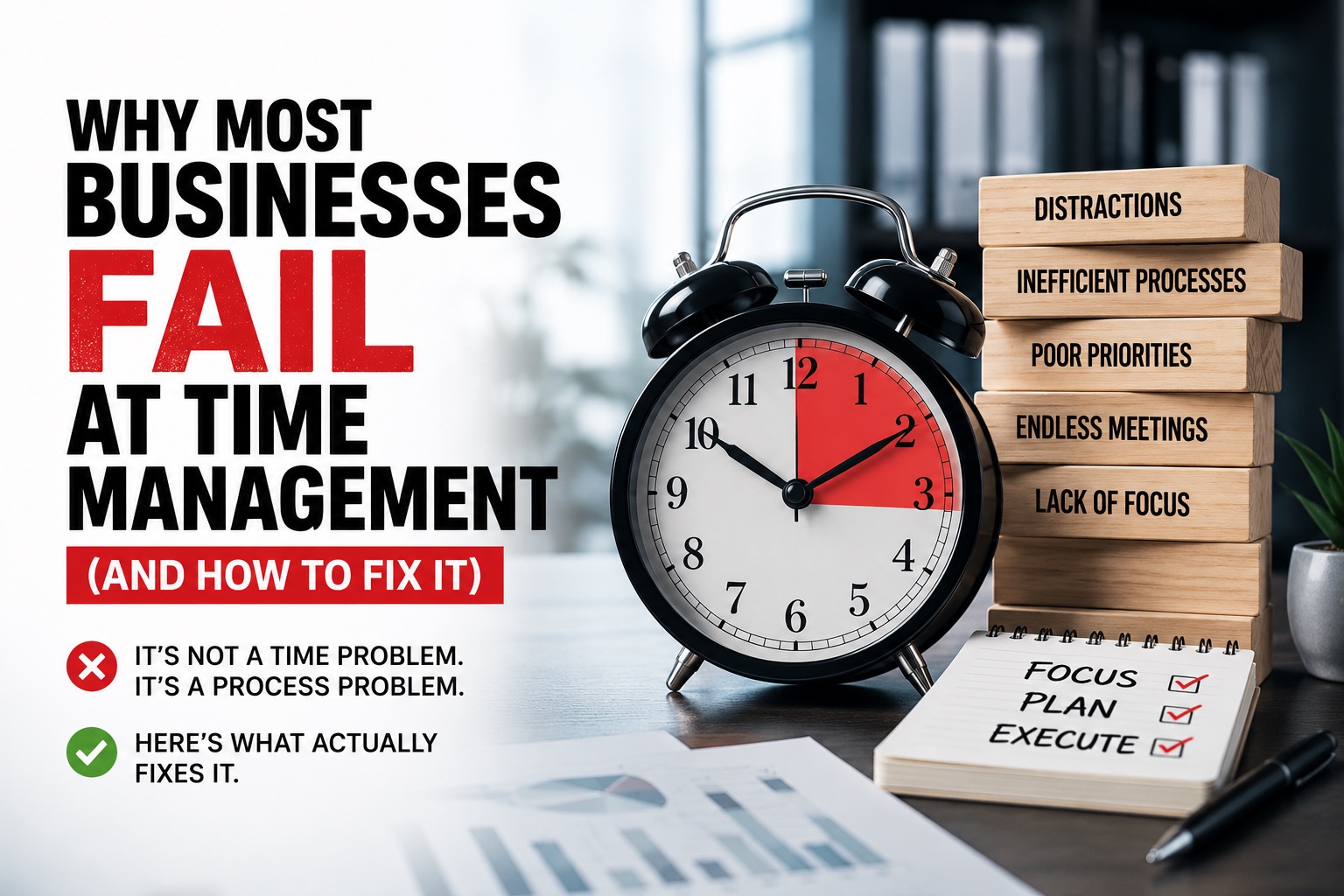
There's a version of every business where the team is focused, meetings are purposeful, clients book themselves in smoothly, and everyone more or less finishes the workday feeling like they made real progress. Most businesses don't live in that version. Most live in a different one — where half the day disappears to coordination, where simple tasks get delayed because one person is waiting on another, and where the calendar somehow fills up with obligations that feel urgent but aren't productive.
Time management failure isn't usually dramatic. It doesn't look like crisis. It looks like a slow, quiet drain — small inefficiencies that compound into real lost revenue, real burnout, and real missed opportunities. And almost every business, at some point, discovers this the hard way.
This article breaks down why it happens, what it actually costs, and what modern businesses are doing to fix it.
1. The Cost of Calendar Chaos: Why Manual Scheduling is Your Biggest Productivity Killer
The Hidden Administrative Drain of Back-and-Forth Email Scheduling
Think about the last time you tried to schedule a meeting with someone you'd never met before. You probably sent an email suggesting a couple of times. They came back with different times. You checked your calendar, one of those slots was now taken, you offered two new options. Eventually, after four or five exchanges over two or three days, you found a time that worked.
That sequence is so normal it barely registers as a problem. But multiply it across a team of ten people, each scheduling five or six meetings a week, and the hidden cost becomes significant. Research on knowledge work consistently finds that administrative coordination — the overhead around doing the actual work — consumes a disproportionate share of the working day.
The emails themselves don't take long. It's the mental load that accumulates: tracking which threads are waiting on a response, remembering to follow up, updating the calendar when something changes, sending reminders. None of it is hard. All of it is draining.
Double-Bookings and Missed Meetings: The Direct Hit to Your Brand Reputation
Manual scheduling doesn't just waste time internally. It creates errors that affect how clients and partners perceive your business.
A double-booking at a medical clinic means a patient arrives to find no appointment. A missed discovery call because a rep forgot to update their calendar means a warm lead goes cold and calls a competitor. A consultant who has to reschedule twice because of internal coordination failures starts to look unreliable — even if the quality of their work is excellent.
The reputational cost of scheduling errors is hard to quantify precisely, but anyone who's been on the receiving end of one understands it intuitively. First impressions matter, and "we're going to need to reschedule" is rarely the impression businesses intend to make.
Why Traditional Calendar Apps Fail to Scale with Growing Business Demands
Basic calendar tools solve the right problem at a small scale. When it's one person managing their own schedule, a standard calendar app works fine. The friction starts when you add complexity: multiple team members, different types of appointments, varying availability rules, clients in different time zones, and integration requirements with CRMs and project management tools.
Traditional calendars weren't designed for this. They show you what's scheduled, but they don't manage the scheduling process itself. As a business grows, the gap between what a simple calendar can handle and what a coordinating team actually needs becomes a real operational problem.
2. The Silent Drain: How Operational Inefficiency and Workflow Bottlenecks Eat Your Margins
Identifying the Invisible Bottlenecks in Your Daily Business Operations
Bottlenecks are sneaky. They don't always announce themselves as bottlenecks. They show up as tasks that always seem to take longer than they should, processes that require more back-and-forth than seems necessary, or projects that slow down every time they pass through a particular person or stage.
One useful exercise: trace a common business process from start to finish and note every point where it requires a human to pause and wait for someone else. Not because the task is inherently slow — but because the handoff isn't smooth. Those pause points are your bottlenecks, and in most businesses, there are more of them than anyone realizes until someone actually maps it out.
A consulting firm, for example, might discover that client onboarding — from signed contract to first meeting — involves seven separate handoffs between four people, three of which require email confirmation before moving forward. None of the steps are technically complex. But the accumulated waiting time turns a one-day process into a week-long one.
The High Cost of Context Switching Between Disconnected Business Apps
Context switching — moving between tasks, tools, or mental modes — has a well-documented productivity cost. Every time you shift your attention from one thing to another, there's a cognitive transition cost: a period of reorientation before you're fully engaged with the new task. Studies on knowledge workers suggest this transition can take anywhere from a few minutes to over twenty minutes depending on the task's complexity.
In a typical office or remote work environment, this happens constantly. A team member is halfway through a project task when a Slack message arrives about a client question. They switch to check email, notice a meeting reminder, update their calendar, then try to return to the original task. By the end of the day, they've been "working" for eight hours but have completed far less than their capacity.
The problem is often amplified by disconnected tools. When your CRM doesn't talk to your calendar, which doesn't talk to your project management system, every transition requires manual updating across platforms.
Mapping Your Workflows to Eliminate Repetitive Administrative Tasks
The practical fix for operational inefficiency starts with visibility. You can't improve a process you haven't documented. Most businesses run on implicit processes — ways of doing things that exist in people's heads rather than on paper — which makes them almost impossible to examine objectively.
Start by mapping the five to ten most common workflows in your business. What happens when a new lead comes in? When a client signs a contract? When a team member requests time off? When a project enters the revision stage? Map each step, note who is responsible, and flag every point that involves manual data entry, repeated communication, or waiting.
The goal isn't to automate everything. It's to identify where human effort is being spent on tasks that don't require human judgment.
3. The 2026 Scheduling Paradigm: Transitioning from Manual Chaos to Smarter Systems
Why Modern Enterprises Are Abandoning Legacy Spreadsheets for Smart Calendars
There's still a surprising number of businesses — including some fairly sophisticated ones — running their scheduling on spreadsheets. On the surface, it makes a kind of sense: spreadsheets are flexible, familiar, and free. The problem is that they weren't designed for real-time coordination across multiple people. They don't update automatically, they don't send reminders, they don't prevent double-bookings, and they require someone to manually maintain them.
As a business grows and the number of moving parts increases, the spreadsheet becomes a liability rather than an asset. The person responsible for maintaining it becomes a single point of failure, and the rest of the team becomes dependent on their updates being accurate and timely.
Modern scheduling platforms solve these problems at the infrastructure level — the system handles real-time availability, automatic confirmation, and calendar synchronization, leaving the team free to focus on the actual work.
How Smarter Scheduling Eliminates Friction to Protect Your Team's Focus Time
Poor scheduling is one of the biggest reasons businesses lose productivity. Many growing companies are now switching from manual systems to smarter scheduling platforms like Hubpoint to save time and reduce daily chaos. The core idea is straightforward: instead of managing scheduling reactively (waiting for someone to ask, then coordinating availability, then confirming), you set up the rules once and the system manages execution.
Availability windows, meeting types, buffer times, team routing — all of this gets configured at the start, and from that point, the calendar manages itself. The result isn't just time saved. It's a qualitative change in how the workday feels, because the cognitive overhead of coordination disappears from the daily to-do list.
Streamlining Client Touchpoints with an All-in-One Appointment Management Solution
For client-facing teams, every friction point in the booking process represents potential lost business or a degraded client experience. When a client can book directly into a system that automatically sends confirmation, reminders, and follow-up, the entire relationship starts from a stronger foundation.
The practical benefit is consistency. Every client gets the same smooth experience, regardless of which team member they're booking with or what time zone they're in.
4. The Rise of AI Scheduling Automation: How Smart Algorithms Predict and Protect Your Time
Beyond Basic Booking: How AI-Driven Calendars Optimize Your Daily Agenda
Basic scheduling tools answer a simple question: "When am I free?" Smarter, AI-assisted scheduling tools ask a more useful question: "When should I be available, and for what?"
The difference matters because not all time is equal. A sales call at 9am might be far more effective than the same call at 4:30pm — both because of individual energy patterns and because of the downstream scheduling implications (a late-afternoon call followed by prep time might push everything else into the next day). AI scheduling tools, trained on patterns from your own calendar, can begin to surface these insights and suggest scheduling configurations that actually match how you work best.
Predictive Buffer Times: Using Machine Learning to Prevent Meeting Fatigue
One of the more practical AI scheduling features is automated buffer time management. When you schedule back-to-back meetings without breaks, you lose the transition time needed to capture notes, shift mental context, and prepare for the next conversation. In practice, a 9:00–11:00 schedule with no buffers often means the 11:00 meeting starts late, or you enter it underprepared.
Machine learning models can analyze historical calendar patterns — how often meetings run over, how much transition time actually gets used, which types of meetings benefit most from buffer time — and apply this automatically when new appointments are created.
Smart Routing: Directing High-Intent Leads to the Right Team Member Instantly
For sales and service teams, smart routing is a particularly valuable automation. Rather than having all inbound appointment requests go to one inbox and get manually assigned, routing rules distribute them based on criteria: geography, service type, language, seniority, or any number of custom factors.
A software company might automatically route enterprise leads to a senior account executive, SMB leads to the standard sales team, and technical questions to a solutions engineer. Done manually, this takes attention and creates delays. Done automatically, the right conversation happens faster.
5. The Remote Team Coordination Crisis: Overcoming Time Zone Friction and Siloed Workflows
The Asynchronous Communication Trap: Why Constant Pinging Isn't Working
Remote work was supposed to free teams from the constraints of the physical office. In many ways it has. But it created a different set of constraints around communication — specifically, the collapse of the boundary between synchronous and asynchronous work.
In an office, you can tell when someone is in a meeting and shouldn't be interrupted. Remotely, the default assumption is that everyone is always reachable, which creates a culture of constant pinging. Quick questions get sent as instant messages because "it's faster than a meeting." But 30 quick questions a day adds up to significant interruption.
The irony is that teams trying to avoid meeting overload often replace meetings with a volume of messages that costs just as much in concentration.
Coordinating Cross-Border Teams Without Endless Scheduling Alignment Meetings
Time zone coordination is one of the genuinely hard problems of distributed work. There's no perfect solution, but there are better and worse approaches. Scheduling tools that display availability in local time zones, that automatically flag overlap windows between global team members, and that allow async check-ins to reduce the need for live alignment calls make a meaningful difference.
The meetings that remain — the ones that genuinely require synchronous discussion — become more valuable when the coordination around them is handled by the system rather than by a human playing scheduler.
Centralizing Team Availability to Foster Frictionless Collaboration
One underused practice is maintaining a centralized, visible record of team availability that goes beyond the standard calendar. This means not just blocking off meeting slots, but marking deep work periods, out-of-office time, high-priority project blocks, and preferred communication windows. When this information is visible across the team, the number of "are you free to chat?" messages drops significantly.
6. The Anatomy of Appointment Friction: Why Customers Abandon Your Booking Funnel
The Psychological Drop-Off: How Many Clicks Does It Take to Book You?
Every additional step in a booking process costs you a percentage of the people who started it. This isn't a hypothesis — it's a consistent finding across every industry that has analyzed booking funnel data. A process that takes three steps converts dramatically better than an equivalent process that takes eight, even when the eight-step process isn't technically difficult.
The reason is psychological. Effort, even small effort, has a cost. And at any point in a multi-step process, a potential customer can make the decision that it's not worth it. The businesses that convert the best are the ones that minimize the number of moments where that decision could go the other way.
Why Forcing Clients to "Call for Availability" is a Multi-Million Dollar Mistake
"For appointments, please call our office between 9am and 5pm."
This phrasing, still common on service business websites, is a conversion disaster in 2026. A significant portion of appointment intent happens outside business hours — in the evening, on weekends, during commutes. When a prospective client lands on your website at 9pm, interested and ready to book, and discovers they have to call during hours they'll likely be at work themselves, many of them don't call. They find someone else who lets them book right now.
The opportunity cost of this single friction point — for a busy dental practice, law firm, consulting agency, or home services company — can be substantial over the course of a year.
Creating a Frictionless, Self-Service Booking Experience That Converts Instantly
The goal is to get a motivated prospect from "I want to book" to "booking confirmed" in under two minutes, without requiring any human involvement from your team. This means: a booking link prominently placed on your website and in your email signature, a simple form that asks only for what's genuinely necessary, automatic confirmation by email or SMS, and calendar synchronization that updates in real time.
When this works well, it's invisible. The client just books. Your calendar just updates. The reminder goes out automatically. Nobody had to do anything.
7. The Burnout Epidemic: How Poor Time Management Destroys Employee Retention
The Direct Link Between Chaotic Scheduling and Cognitive Overload
Burnout is multi-causal, but one of its most consistent drivers is the experience of effort without progress — the feeling of working hard all day without being able to point to what actually got done. Chaotic scheduling creates exactly this experience. When the workday consists primarily of coordination, reaction, and context-switching rather than focused productive work, people end the day exhausted without feeling accomplished.
Over time, this erodes motivation and engagement. And when talented employees reach the point where a company's operational chaos outweighs what they value about their role, they leave.
Why "Always-On" Culture Is a Symptom of Broken Operational Workflows
Always-on expectations — the implicit (or explicit) pressure to be responsive outside working hours — are often a symptom of inadequate processes rather than genuine workload. When important things fall through the cracks during business hours because workflows are disorganized, after-hours availability becomes the safety net. The problem isn't the volume of work. It's that the structure isn't there to contain it.
Fixing the structure — better handoffs, clearer processes, less reactive coordination — reduces the perceived need for constant availability without reducing output. In most cases, it increases it.
Empowering Employees with Autonomous Time Blocking and Boundary Control
One of the most effective operational changes a business can make is giving employees real control over their calendar. This means: protected blocks for deep work that can't be overridden by meeting requests, transparent availability that communicates boundaries without requiring a conversation, and systems that enforce those boundaries automatically rather than relying on individuals to decline requests manually.
When people feel in control of their time, they work better, stay longer, and report higher satisfaction. When they feel like their calendar is something that happens to them rather than something they manage, the opposite is true.
8. Meeting Overload: The Hidden Tax on Creative and Strategic Focus
The "This Could Have Been an Email" Audit: Eliminating Redundant Syncs
Most organizations have meetings that have been running for so long that nobody remembers why they were originally scheduled. The Monday team check-in. The weekly status update. The recurring client call that both parties attend out of habit. These meetings aren't necessarily harmful in isolation, but collectively they represent a significant overhead — and they crowd out the uninterrupted time that creative and strategic work requires.
A useful exercise is a periodic meeting audit: review your recurring meetings and ask, for each one, what would happen if we cancelled it for a month? If the honest answer is "nothing would change significantly," that meeting is a candidate for removal or replacement with an async update.
Protecting "Maker Time" vs. "Manager Time" in Your Organization
Paul Graham's classic distinction between maker schedules and manager schedules remains one of the most useful frameworks for thinking about meeting culture. Managers, whose work consists of coordination and decision-making, can absorb a schedule of back-to-back meetings reasonably well — each meeting is a unit of their work. Makers — developers, designers, writers, analysts — need long, uninterrupted blocks to do their best work. A single meeting in the middle of the afternoon doesn't just take that one hour. It fractures the entire afternoon.
Organizations that protect maker time see better output from creative and technical roles. The practical implementation: designate certain hours or certain days as meeting-free by default, and make exceptions genuinely exceptional.
Establishing Strict Meeting Policies Supported by Automated Scheduling Guardrails
Policy without enforcement tends to drift. If your organization decides that Tuesday and Thursday mornings are meeting-free, but there's nothing in the system to prevent exceptions, the policy erodes within a few weeks as urgent requests override it case by case.
Automated scheduling guardrails — calendar rules that literally prevent certain types of meetings from being booked during protected times — make policy enforcement passive. Nobody has to say no. The system does.
9. The Zero-Friction Sales Pipeline: Accelerating Speed-to-Lead with Automated Booking
Why a 5-Minute Delay in Lead Response Drops Conversions by 80%
This is one of the most well-documented findings in sales research, and it still surprises people when they encounter it for the first time. The likelihood that a new lead converts to a meaningful sales conversation drops dramatically within minutes of their initial inquiry. By the time a rep responds hours later — even with a genuinely good response — the lead has often moved on or cooled significantly.
The psychology makes sense: when someone submits a form or clicks a "book a call" button, they're at peak interest. That's the exact moment to engage them. Every minute of delay gives competing considerations time to crowd out the impulse that prompted the action.
Embedding Instant Scheduling Directly into Your Inbound Marketing Funnels
The modern solution to the speed-to-lead problem isn't to hire faster salespeople. It's to remove the human dependency from the first step entirely. When every landing page, every ad, and every email campaign ends with an instant booking link — rather than a "fill out this form and we'll be in touch" — the interested lead can get themselves into a conversation before they have time to second-guess.
This is especially powerful in combination with qualifying questions that can be answered during the booking flow itself, so the rep shows up to the call already knowing the lead's situation, needs, and timeline.
Automating Pre-Meeting Qualification to Ensure High-Value Conversations
Pre-meeting qualification questions — asked during the booking process — serve two purposes. They help the rep prepare, and they subtly raise the quality of the leads who complete the booking (people with low intent are less likely to complete a form with ten questions than people who genuinely want the meeting).
The key is calibration. Too few questions and you don't get useful context. Too many and you recreate the friction problem from a different angle. For most service businesses, three to five focused questions is the right range.
10. Building a Modern Time Management System: The Tech Stack for Hyper-Efficient Brands
Auditing Your Current Productivity Tools for Redundancies and Gaps
Most growing businesses arrive at their current tool stack through accumulation rather than design. One team needed a project management tool, so they adopted one. Sales brought in a CRM. Marketing chose an email platform. Operations built spreadsheets for what wasn't covered. Nobody ever stood back and asked whether these things work well together.
A tool audit — taking inventory of every platform the business uses, what it costs, what it does, how it integrates, and whether it's actively being used — often reveals significant redundancy. Multiple tools doing overlapping things, subscriptions nobody uses, and workflows that jump between platforms in ways that require manual effort at each transition.
The audit isn't about minimizing your tool count. It's about understanding what you have before adding anything new.
The Essential Integration Checklist: Connecting Your CRM, Calendar, and Workflows
The highest-leverage integrations for most service and sales-oriented businesses:
- CRM ↔ Calendar: When a meeting is booked, the contact record updates automatically. No manual logging.
- Booking platform ↔ Email/SMS: Confirmations and reminders go out without human involvement.
- Calendar ↔ Project management: Client meetings or deadlines show up in project timelines.
- Forms ↔ CRM: Lead information captured on a form flows directly into the database without re-entry.
These are not exotic integrations. Most modern tools support them natively or via simple connectors. The gap, in most businesses, is that nobody has set them up.
Scaling Your Operations: Choosing Tools That Grow Alongside Your Business
The most common technology mistake growing businesses make is choosing tools for their current size. A platform that works perfectly for a team of five may require a complete replacement at fifty. Before committing to any core operational platform, it's worth asking: what does this look like at three times our current size? What breaks? What needs to be rebuilt?
The best tools for scaling businesses aren't necessarily the most feature-rich at any given moment — they're the ones with the infrastructure to handle growth without requiring constant reinvestment in new systems.
Conclusion: The Real Cost of Getting This Wrong
Time management failure in business is rarely a character flaw. It's an infrastructure problem. Most businesses lose time not because their people don't care or don't try, but because the systems and processes supporting the work weren't built for the demands placed on them.
The good news is that most of these problems are solvable. Not through willpower or longer hours, but through better design — clearer workflows, smarter scheduling, protected focus time, and tools that handle coordination so people can handle the work that actually requires their judgment.
The businesses that get this right don't feel dramatically different on the outside. What changes is the internal experience: less reactive, more purposeful, and with enough space to actually do good work instead of just managing the process of doing it.
If you take one thing from this article, let it be this: time management problems are almost always process problems. Fix the process, and the time tends to sort itself out.
Frequently Asked Questions
Why do most businesses struggle with time management?
Most businesses struggle with time management because their internal processes weren't designed for their current scale. As teams grow, informal systems — spreadsheets, email chains, verbal agreements — fail to handle the coordination complexity. The result is scheduling friction, workflow bottlenecks, and reactive work habits that consume time without producing output.
What is the biggest cause of productivity loss in a growing business?
Context switching between disconnected tasks and tools is one of the most significant and underrecognized productivity costs. Every time an employee shifts their attention from one platform, conversation, or mental mode to another, there's a transition cost. Multiply this across an entire team, all day, and the aggregate lost time is substantial.
How does poor appointment scheduling affect revenue?
Poor scheduling creates lead response delays, client friction, and missed bookings — all of which have direct revenue implications. Research on sales lead behavior shows that response time is one of the strongest predictors of whether an inquiry converts to a sale. Beyond lost sales, scheduling errors damage client relationships and brand reputation.
What is the best way to reduce meeting overload at work?
Start with a recurring meeting audit. Review every meeting on your calendar and ask whether it's genuinely the most efficient format for its purpose. Eliminate or replace meetings that exist out of habit rather than necessity. Then protect focused work time with calendar rules that prevent low-priority meetings from crowding out strategic thinking.
What scheduling tools help small businesses save time?
Modern scheduling platforms have made self-service booking, automated reminders, and team availability management accessible to businesses of all sizes. Platforms like Hubpoint are particularly useful for growing companies that need to move away from manual scheduling without investing in enterprise infrastructure. The key criteria for any scheduling tool: real-time availability, automatic confirmation and reminders, CRM integration, and a clean booking experience for clients.